Analyze vulnerability impact
Find every application, container, and project a vulnerability reaches, and record VEX analysis.
Impact analysis starts from a vulnerability and shows every application, container, and project that includes the affected component, directly or through other components.
Find the vulnerability
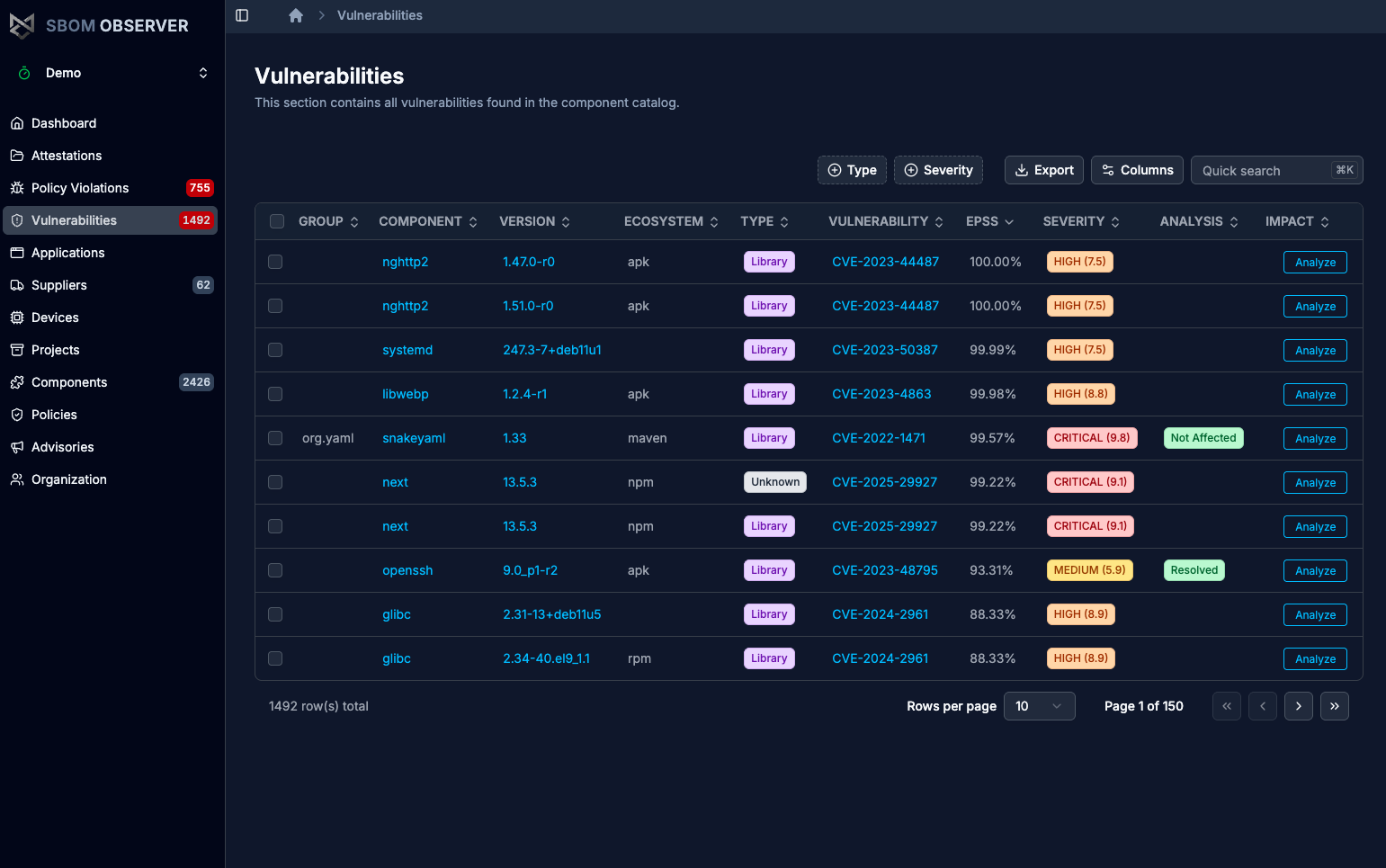
Open Vulnerabilities and search for the identifier, for example a CVE. Each row has an Analyze button.
See what is affected
Select Analyze. The Impact tab lists the top-level components that include the vulnerable one, with their version, type, vulnerabilities, and policy violations.
Follow the dependency path
The Graph tab draws the path from each affected application or project, through the containers and libraries in between, to the vulnerable component. Use it to see which upgrade removes the vulnerability from the most places.
Record VEX analysis
A VEX analysis states whether a vulnerability affects a component. SBOM Observer reads it from VEX documents you or your suppliers upload. To add one in the app:
- Open the component from Components and select its Vulnerabilities tab.
- Select the row for the vulnerability, then Add Analysis.
- In Add VEX Analysis, pick a State. Justification, Response, Notes, and External Links are optional. Select Create.
The state is one of not_affected, false_positive, exploitable, in_triage, resolved, or resolved_with_pedigree, and shows in the Analysis column on the Vulnerabilities page:
Policies receive the VEX analysis with each vulnerability, so a policy can skip vulnerabilities marked not_affected or resolved.
Next steps
- Write and test policies that take VEX state into account
- Manage projects to analyze impact for one system
- Getting started: Impact analysis in the live demo