Impact analysis
Trace a vulnerability to the containers and projects that include it, in the live demo.
In the live demo, start from CVE-2022-1471 in SnakeYAML and find every container and project that includes the vulnerable version.
Walkthrough
Open the live demo
Go to the live demo and select Open Live Demo. This opens a private namespace with sample SBOMs and policies. It resets after an hour of inactivity.
Open Vulnerabilities
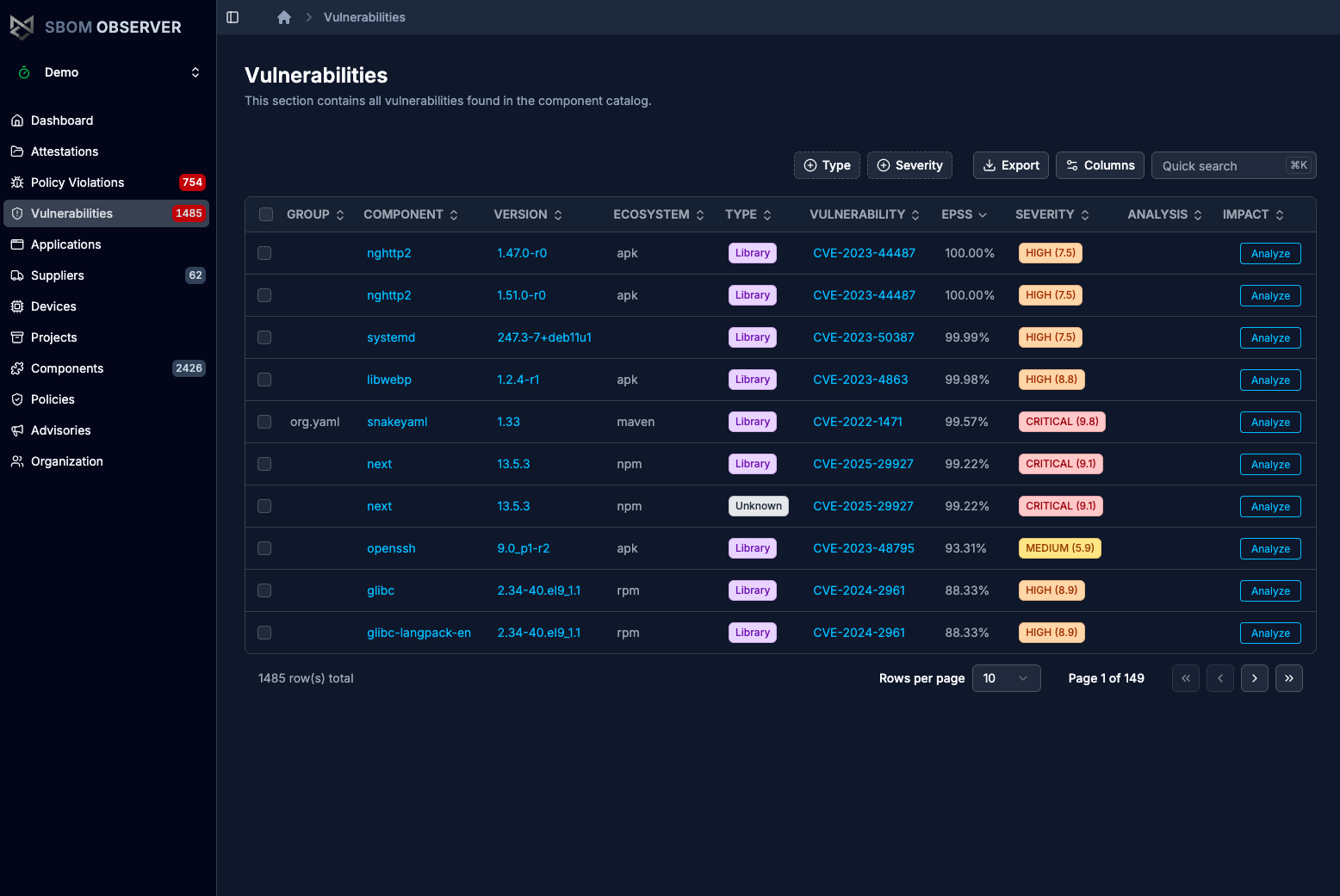
Select Vulnerabilities in the sidebar. It lists every vulnerability found in the namespace, with EPSS and severity.
Find CVE-2022-1471
Type CVE-2022-1471 in Quick search (⌘K / Ctrl+K). The row shows snakeyaml 1.33 with severity critical 9.8.
Run impact analysis
Select Analyze on the row. The Impact tab lists the components that include SnakeYAML 1.33, such as the keycloak and dependencytrack/bundled containers, with their own vulnerabilities and policy violations.
Follow the path in the graph
Open the Graph tab. It draws the path from each project through the containers to SnakeYAML, so you can see which upgrade removes it from which project.
Next steps
- First policy to flag vulnerabilities like this one automatically.
- Analyze vulnerability impact in your own namespace, including VEX analysis.
- What is SBOM Observer? for how import, analysis, policies, and sharing fit together.