First policy
Build a Visual Builder policy that flags high-severity vulnerabilities and see its violations.
Build a policy in the Visual Builder that flags every component with a vulnerability above severity 7, and see the violations it produces.
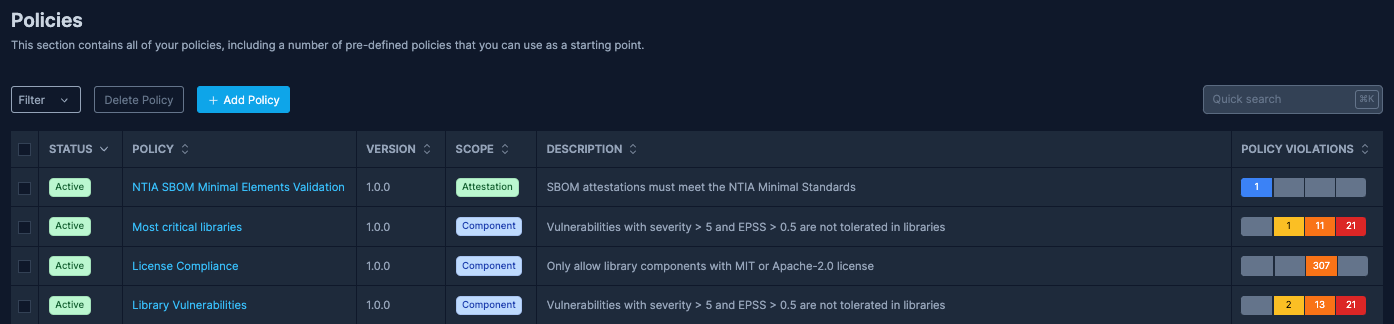
Build the policy
Open Policies
Sign in to SBOM Observer (or open the live demo), select Policies in the sidebar, then Add Policy.
Name the policy and set its scope
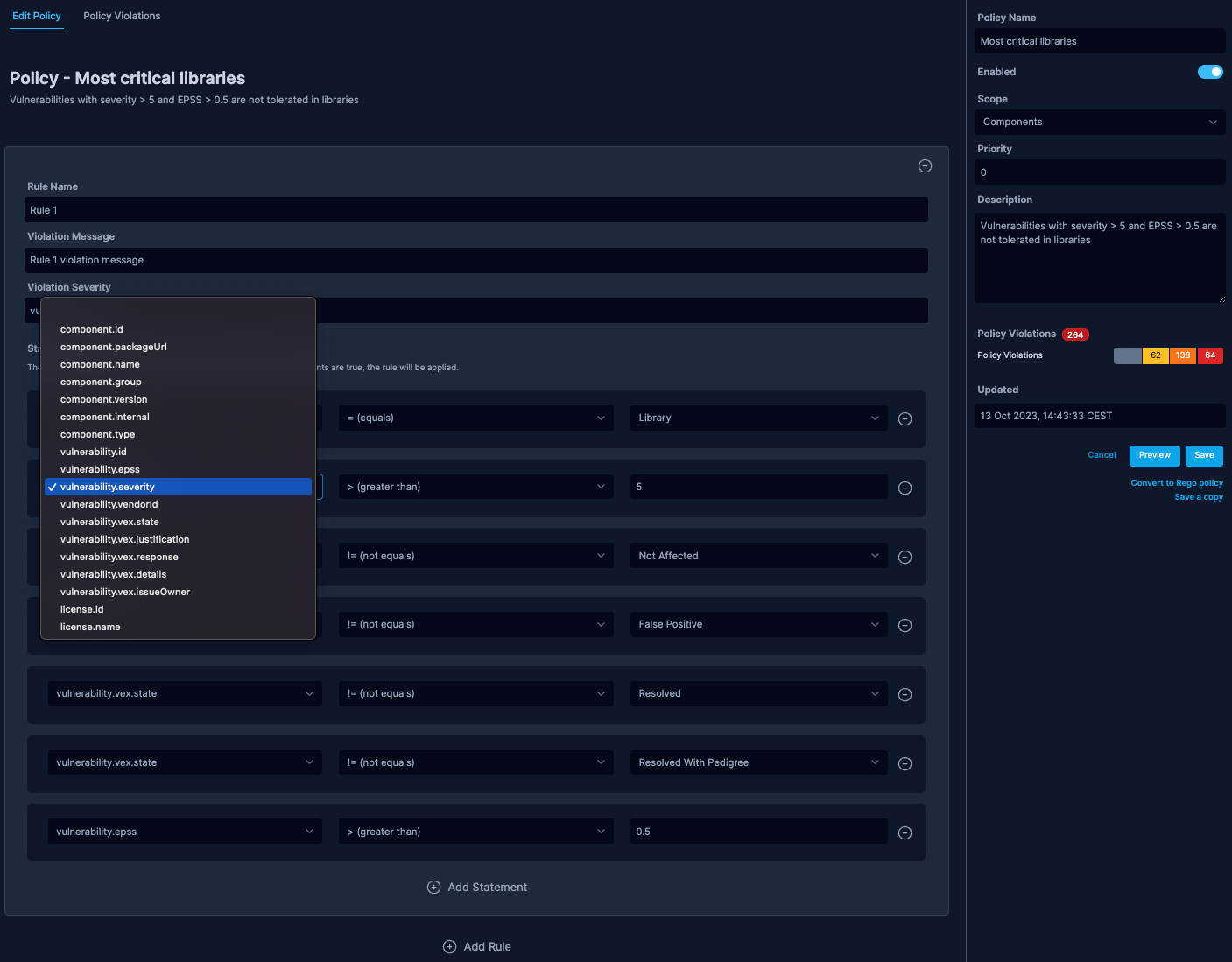
In the panel on the right, set Policy Name (for example "High-severity vulnerabilities"), turn on Enabled, set Scope to Components, and add a Description.
Add the rule
Fill in Rule Name, Violation Message, and Violation Severity (0.0 to 10.0; this example uses 8). Then select Add Statement and set:
- Property:
vulnerability.severity - Operator:
> (greater than) - Value:
7
Preview and save
Select Preview to see which components the policy would flag. If the list looks right, select Save.
See the violations
Saving evaluates the policy against every component in the namespace. Select Policy Violations in the sidebar to see the results. The policy runs again whenever an SBOM is uploaded, vulnerability data changes, or the policy is edited.
Next steps
- Write and test policies in Rego or JavaScript.
- Policies for when policies run and what a scope decides.
- Enforce policies in CI/CD to fail a build when an SBOM breaks a policy.