Research advisories and malware
Search the advisory data behind your vulnerability rules, read a vulnerability's scores, exploitation status, and affected packages, and open the report behind a malware block.
The dashboard has a page for every vulnerability and every known-malware report in the data the firewall uses. Use them to decide what to do about a block, to check whether a CVE in the news affects anything you depend on, or to judge how urgent a finding is.
Search advisories
Open Advisories in the dashboard sidebar. Search by CVE or GHSA ID, by package name, or by keywords from the description.
Narrow the results with the filters:
- Fix status: Fixed everywhere for vulnerabilities where every affected package names a fixed version, or Has unfixed packages where at least one has none yet.
- Ecosystem: package ecosystems and operating system package types.
- Severity: Critical, High, Medium, Low, or Unscored for advisories nobody has scored yet.
Sort by Relevance, Newest, Highest score, or Most likely exploited, which orders by EPSS probability.
Read a vulnerability
Select a result to open the vulnerability's page. You also get there from a vulnerability ID in a firewall log entry, or from an image's vulnerability list on a container firewall.
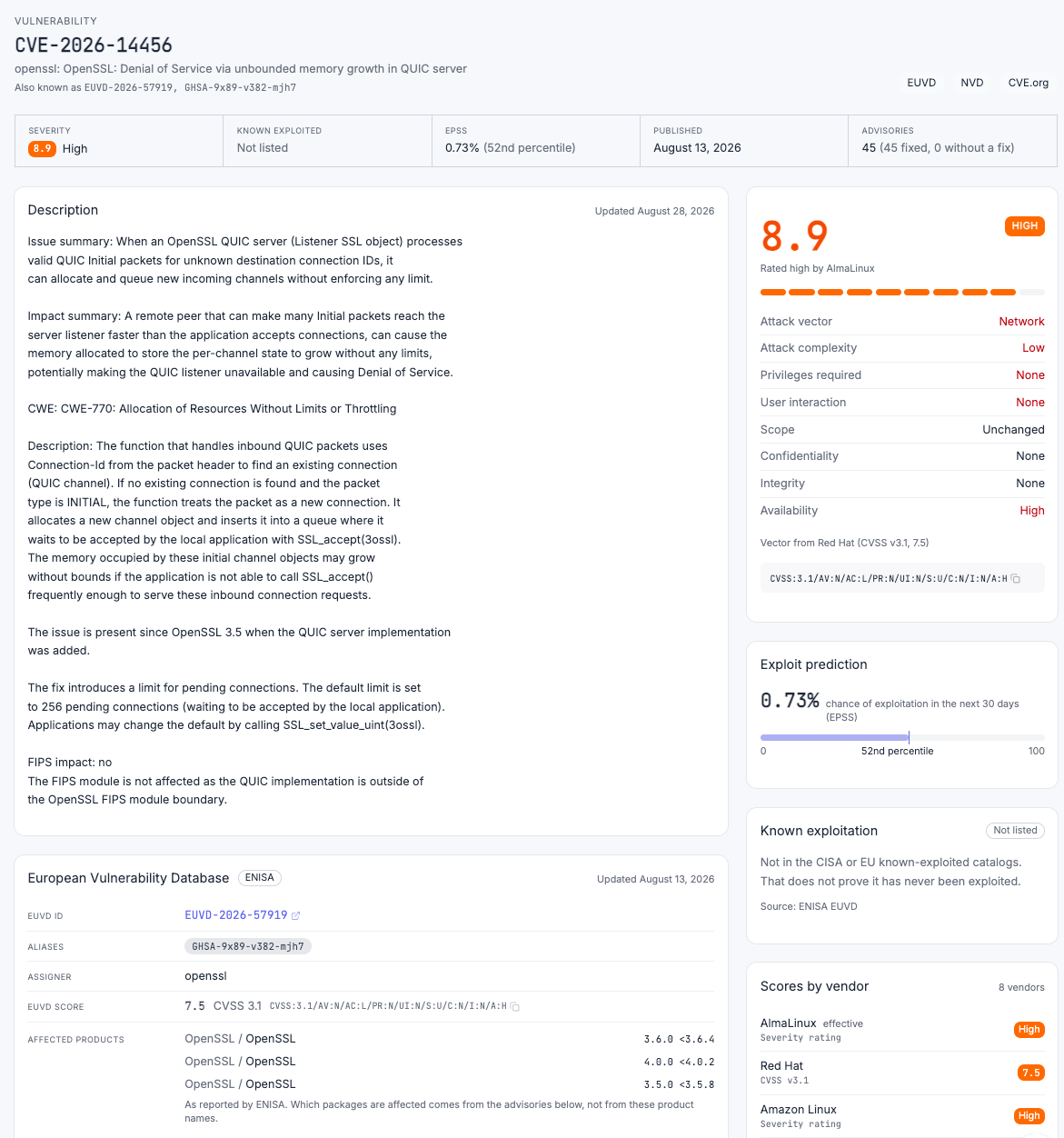
The top of the page answers how serious the vulnerability is:
- Severity and score, as used by vulnerability rules.
- Known exploited: whether the vulnerability is listed in a known-exploited catalog (KEV), and since when.
- EPSS: the probability of exploitation in the next 30 days.
- Published, and the number of Advisories: one per affected package and source.
Below that:
- Description, References, and Weakness (the CWE).
- Advisories: every affected package, with its ecosystem or distribution, vulnerable versions, and fixed version. Filter the table to find one package. Where a distribution has not released a fix, the advisory shows that distribution's own status for the vulnerability.
- Scores by vendor: when sources disagree, each one's score. A distribution often scores a vulnerability lower or higher than NVD, because it knows how it builds and ships the package.
- Exploit prediction: the EPSS probability and percentile.
- EUVD: the vulnerability's record in the European Vulnerability Database, with its EUVD ID, aliases, assigner, EUVD score, and the products ENISA lists as affected.
Known-exploited status, the EUVD record, and an EPSS score reached through a CVE alias are for reading only. Rules compare against CVSS score and EPSS probability from the advisory data, as described in Advisory sources.
Read a malware report
When a malware rule blocks a package because of a known-malware report, the report's ID in the log entry opens the report's page in the dashboard.
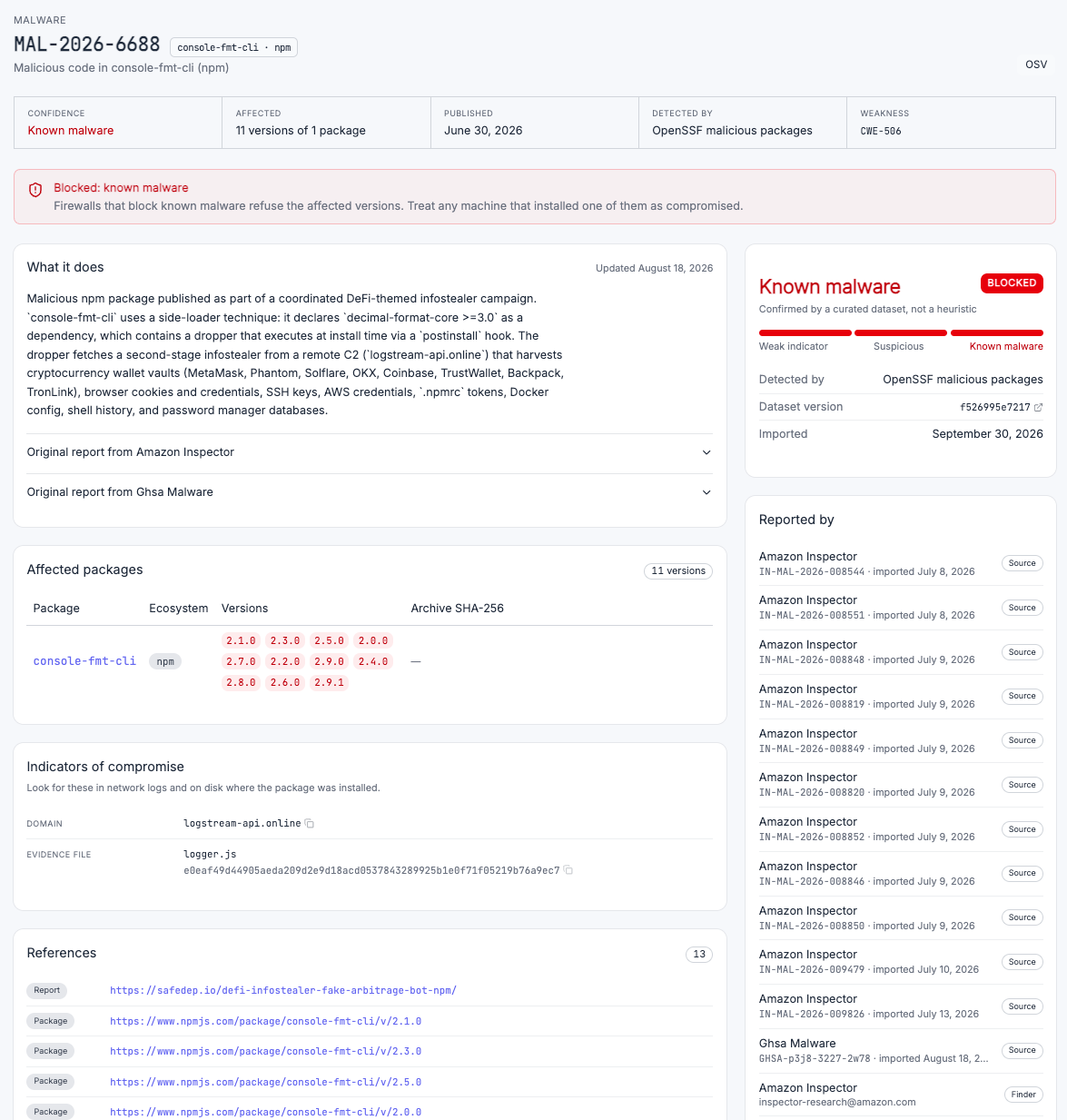
The page shows:
- Confidence, Affected, Published, and Detected by at the top.
- What it does: what the malicious code does when installed.
- Affected packages and versions.
- Indicators of compromise: what to look for on a machine that installed the package.
- References, Reported by, and Related malware.
A block means the firewall stopped the package this time. If the package might have been installed before the rule existed, or from outside the firewall, use the indicators of compromise to check the machines that could have installed it.
Related
- Concept: Prevention model, Observability
- How-to: Block vulnerable packages, Block malware, Investigate a blocked install
- Reference: Advisory sources, Selector functions